2d cad file no. 002
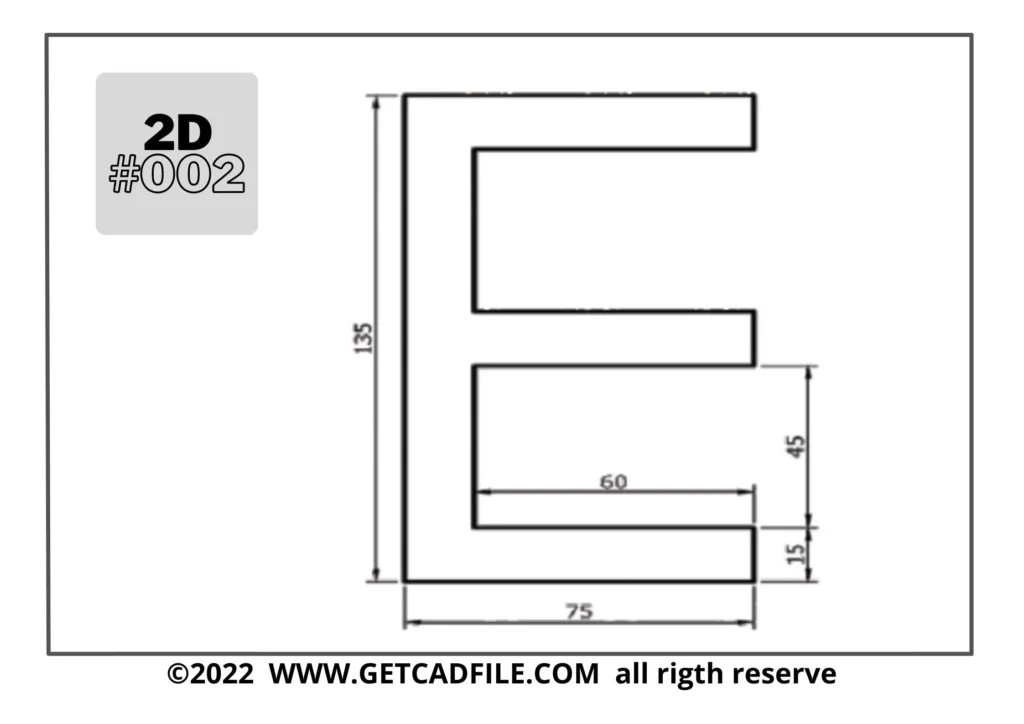
2d-CAD file #002
Here are five CAD (Computer-Aided Design) designer tips, each described in a paragraph:
1. Master 2D Sketching: Proficiency in 2D sketching is fundamental for creating accurate and complex 3D models. Practice sketching techniques to develop your skills in creating precise geometric shapes and effectively capturing design intent. This foundation will enhance your overall CAD capabilities.
2. Explore 3D Printing Constraints: If your design will be 3D printed, familiarise yourself with the specific constraints and considerations of the printing process. Understand factors such as minimum wall thickness, support structures, and file formats compatible with 3D printers. This knowledge ensures your designs can be successfully printed.
3. Maintain Regular Backups: Always back up your CAD files regularly to prevent data loss. Use cloud storage solutions, external hard drives, or network drives to store your files securely. Regular backups provide peace of mind and protect against unforeseen events or hardware failures.
4. Optimise CAD Performance: Take steps to optimise your CAD software’s performance. Keep your software up to date, close unnecessary programs running in the background, and adjust settings to optimise performance based on your computer’s capabilities. This ensures smooth and efficient CAD operations.
5. Seek Continuous Learning: CAD software and techniques continually evolve, so make a habit of seeking continuous learning opportunities. Stay up-to-date with the latest software versions, enrol in online courses, join CAD user groups, and explore forums to expand your knowledge and enhance your skills.
Thank You for Taking the Time to Visit Us!
getcadfile.com